How to Download Videos & Photos from Instagram
How to download photos and videos from Instagram? Many users ask this question. In this guide, we will show you how to use InstaDownloader to download Instagram photos and videos online on PC, iPhone, and Android.
InstaDownloader is an Instagram downloader that allows you to download photos, videos, reels, stories, and IGTV in the highest quality for free.
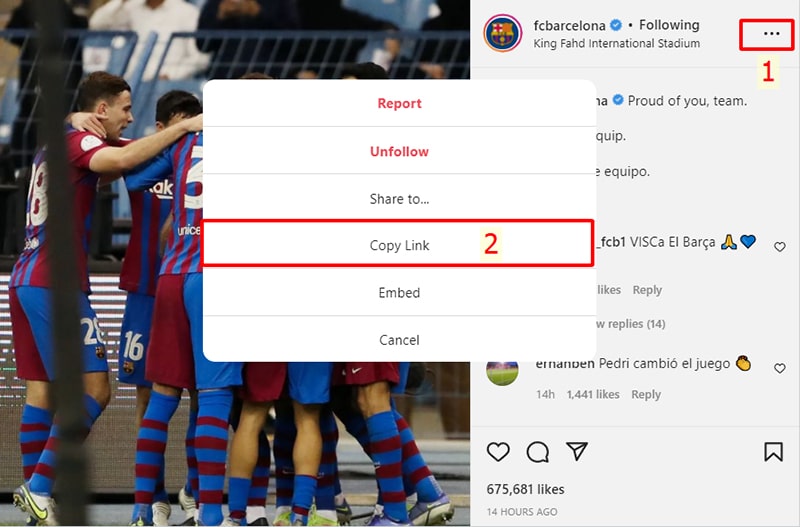
Find the content you want to download. Click the three dots (⋯) above the post and select Copy Link.
Open your browser and go to InstaDownloader website. Paste the copied Instagram link into the input box and press the Download button.
.png)
Your content will appear. Click Download Image or Download Video to save it to your device.

Supported Devices
InstaDownloader works on all devices including PC, Mac, Android, iPhone, and tablets. No software installation is required.
Important Note
Instagram does not allow direct downloads. InstaDownloader provides a simple way to download content safely and quickly.
⬅ Back to Home